
Description
Super 808 Bass Plugin for Deep, Expressive Low End
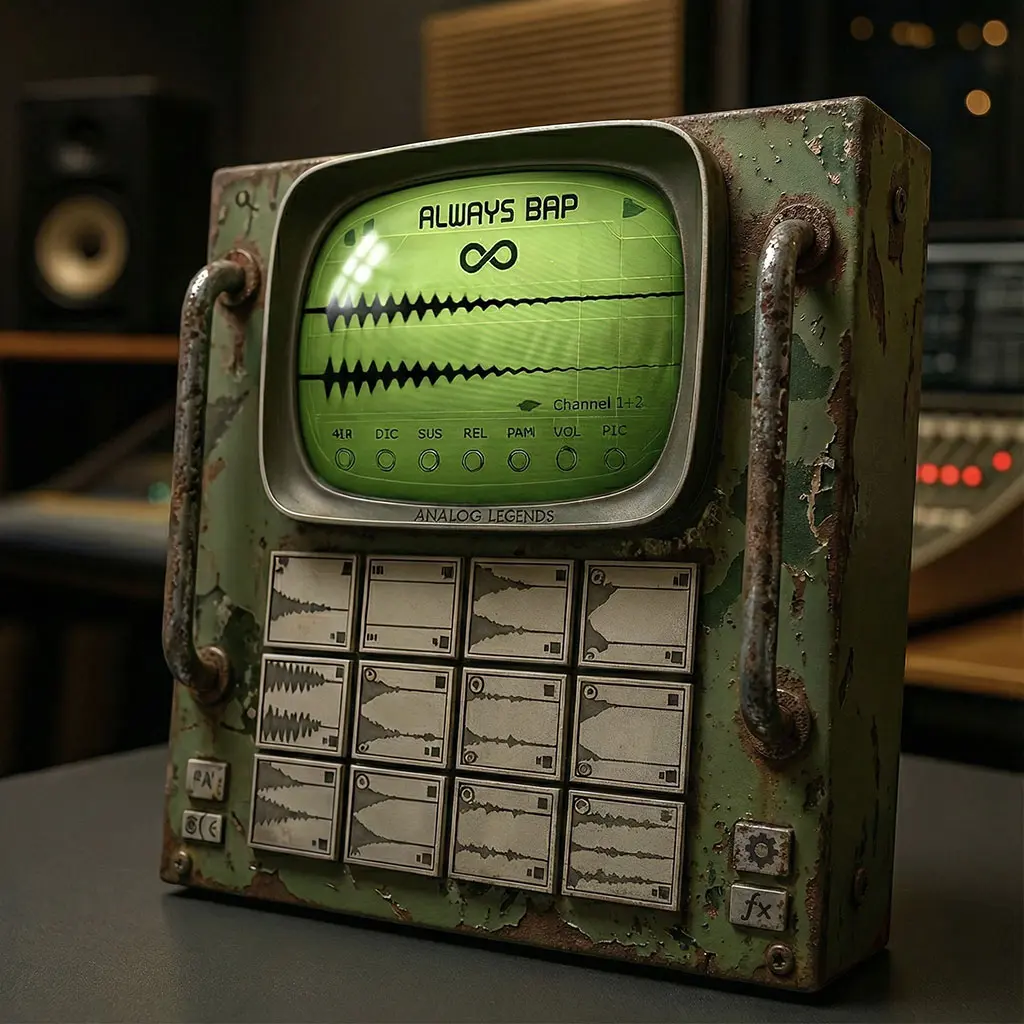
Super 808 is an 808 bass plugin built for deep low end and fast sound selection. Nearly 300 presets, Infinity patch generation, analog drive and glide give you practical tools for bass lines that fit modern productions.
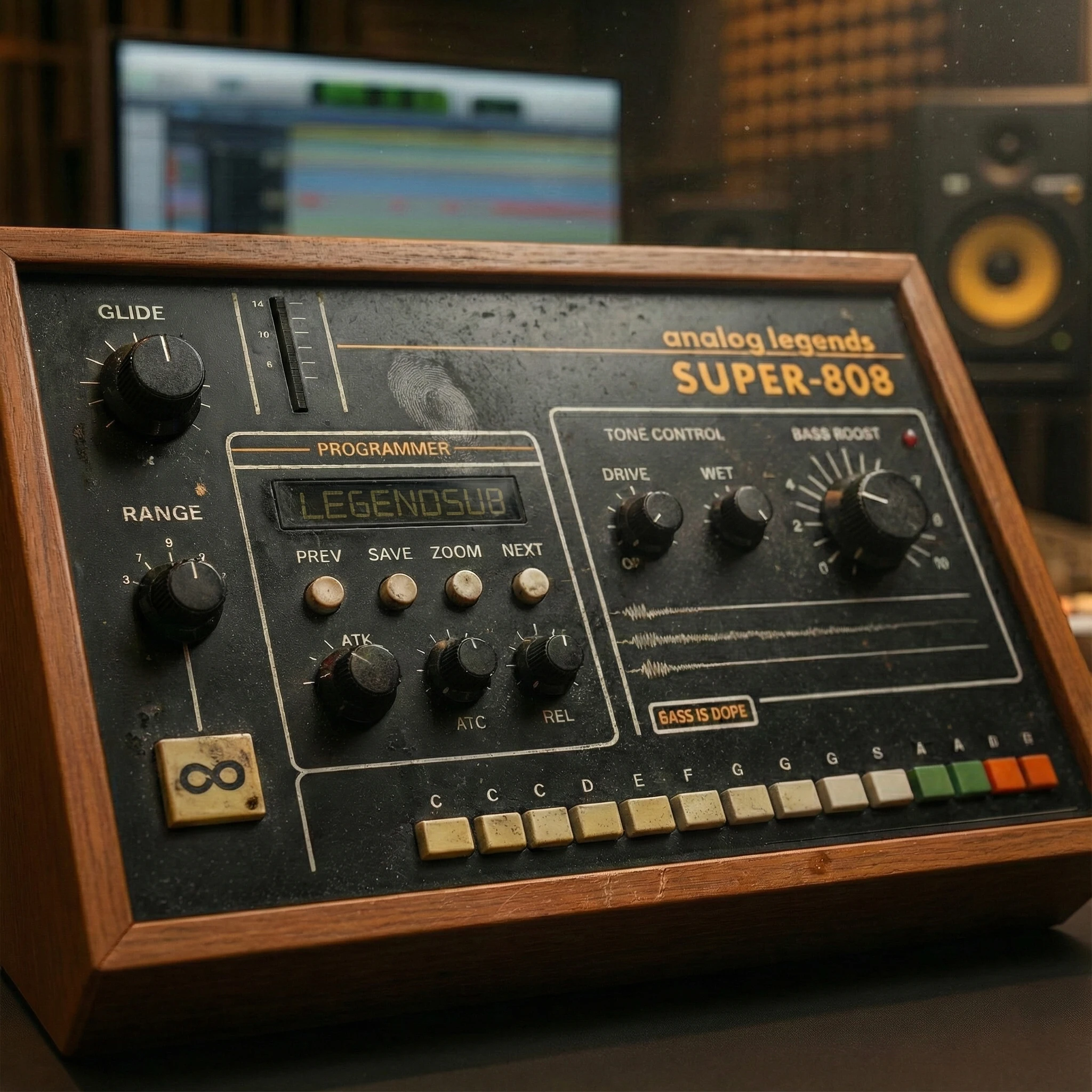
Bass. Earth rattling, chest pounding bass. You can feel it in your bones, the kind of subsonic earthquake your neighbors complain about. Music without bass is like a sandwich without bread, it doesn’t make any f-in sense.
The Super 808 bass plugin brings that power to your fingertips in a streamlined, quick and inspirational form. A one of a kind modern bass module for urban production. With an already massive 300 preset library made even more vast with the infinity engine. Which gives you the ability to instantly generate new 808 bass patches with the click of a button. All of that is ran thru an expertly crafted suite of analog processing tools to dial in the perfect bass tone. So grab a copy of Super 808 today, because if you wanna make a hit…you gotta make it hit!
- Nearly 300 factory presets of trap and hip-hop bass patches that slap!
- Infinity Button generates instant random 808 bass patches with the click of a button
- Expertly tuned Bass Boost circuit with adjustable level to make your tracks bang
- Powerful and authentic analog harmonics drive system
- Adjustable velocity modes for full bass power or variable levels
- Fully customizable glide system tailored to your needs
- Flexible pitch-bend range for flexible play-ability
- Analog modeled LPF circuit to further thicken an customize your bass tones
- Hands on control with midi learn function per parameter within the GUI
- A true modern urban production bass module for the new era
- Mac ARM native support (m1, m2, m3 and m4+)
- VST2,VST3, AU and AAX formats
System Requirements
PC: Windows XP or higher, minimum 1024×768 screen resolution and 1GB hard disk space
MAC: OSX 10.3 or higher, minimum 1024×768 screen resolution and 1GB hard disk space
Super 808 Bass Plugin: Common Questions
How can I shape a bass sound in this 808 bass plugin?
Start with a preset, then adjust bass boost, analog drive and the low-pass filter to suit the track. Check the relationship between kick and bass while the whole arrangement plays, rather than judging the low end in isolation.
Can this 808 bass plugin create sliding notes?
This 808 bass plugin includes glide for pitch movement between notes. Experiment with the control and your MIDI performance to shape transitions, then check timing and note length against the groove.
What does Infinity patch generation do?
Infinity generates new 808 patches as starting points for sound design. Audition the result, keep the sounds that suit the song and refine them with the available controls.
What should I check before buying?
Compare the listed plugin formats and system requirements with your DAW and computer. Watch the video demonstrations and listen to the audio examples to judge how the instrument fits your style.
Explore more virtual instruments at FlashVST, or visit developer Analog Legends for more about its music software.
Choosing an 808 Bass Plugin for Your Productions
The right 808 sound depends on the role it plays in the arrangement. A short, rounded bass can leave room for a busy kick pattern, while a sustained note can carry the weight of a sparse beat. Before browsing presets, decide whether you need the bass to provide a steady foundation, a melodic hook or an aggressive layer of texture. That choice gives you a useful way to compare sounds.
Super 808 combines a preset-based starting point with controls for drive, bass boost, filtering and glide. This makes the 808 bass plugin worth considering when you want to audition low-end ideas quickly and then refine their character. Listen to the examples on this page with your own musical goals in mind. A sound that works in a demonstration may need different settings once it sits beside your kick, vocal and other instruments.
Programming an 808 Bass Plugin: Notes and Groove
Write a simple bass part before making detailed tone adjustments. Use the key of your song as a starting point, and check that each note supports the harmony. If a bass note feels weaker than the others, listen to it at the same level and consider its pitch, duration and relationship to the kick. Turning up the entire instrument may make the stronger notes overpower the mix without solving the original problem.
Keep the MIDI pattern simple while you compare presets. A short loop containing the kick, bass and a few important musical elements makes differences easier to hear. Once the core sound works, add transitions, extra notes or variations. This keeps the sound-design process connected to the song rather than to an isolated preset audition.
Balance the Kick and the 808
A kick and a sustained bass can compete for the same space. Begin by listening to their timing and note lengths. Sometimes shortening a bass note, moving a note slightly or choosing a different kick works better than adding more processing. Judge the combination at a sensible listening level, and check a few sections of the arrangement before committing to a single setting.
Use the 808 bass plugin controls to shape the sound around the drum pattern. Bass boost can change the weight of the low end, while filtering can reduce unwanted brightness. Make one adjustment at a time so you can hear its effect. If the bass becomes fuller but the kick becomes harder to follow, reconsider the balance rather than assuming that more low end is always an improvement.
Add Drive with a Clear Purpose
Analog drive is useful when you want a bass part to have more harmonic character. Start with a small amount and compare it against the cleaner sound. Listen to the note definition as well as the apparent loudness. Stronger drive may suit an aggressive section, but a cleaner setting may leave more space for a vocal or a dense arrangement.
When comparing settings in an 808 bass plugin, compensate for obvious level differences where your workflow allows it. Louder audio can seem more impressive even when it is less suitable for the track. Check the result on more than one playback system if possible. Headphones, monitors and smaller speakers can reveal different aspects of the same bass part.
Performing Slides with an 808 Bass Plugin
Glide changes the movement between pitches, so treat it as a musical choice. Begin with a clear melody or bass pattern, then add slides where they support a transition or accent. Too much movement can obscure the main notes. A small number of deliberate slides often communicates a phrase more clearly than applying the same dramatic movement everywhere.
Experiment with the glide control alongside MIDI note timing and length. Keep a simple version of the part available so you can compare the two approaches. If the sliding version sounds exciting on its own but loses the groove in the mix, simplify the pattern and rebuild the movement around the strongest accents.
Explore Presets and Infinity Without Losing Your Direction
Nearly 300 factory presets provide a broad set of starting points, while Infinity patch generation offers a way to discover new variations. Decide what you are listening for before generating or auditioning patches: a shorter decay, a rounder low end, extra edge or a more expressive transition. That small decision makes it easier to recognize a useful result.
After finding a promising sound, spend time with the controls already available in the 808 bass plugin. Refine its role in the arrangement before moving to another preset. Keep notes or save your working session according to your DAW workflow, so you can return to a successful combination of sound, MIDI performance and mix balance.
808 Bass Plugin Compatibility: Check Your Setup
Compare the listed formats with the formats supported by your DAW, and read the operating-system requirements below. Check both the computer and the host application rather than relying only on a broad Windows or Mac label. If you are unsure about your particular setup, resolve that question before purchasing.
Finally, use the demos to assess the sound and workflow rather than the loudness of the playback alone. Think about whether this 808 bass plugin fills a specific gap in your tools: faster preset selection, different low-end character, glide-based performance or a new source of patch ideas. A clear use case makes the purchase easier to evaluate and the instrument easier to put to work.


Reviews
There are no reviews yet.