
Description
DeLorean Analog Saturation Plugin for Vintage Color
DeLorean is an analog saturation plugin with more than 120 vintage emulations and 300 presets. Shape harmonics, tape-style clipping and aged textures to add character to clean digital recordings.
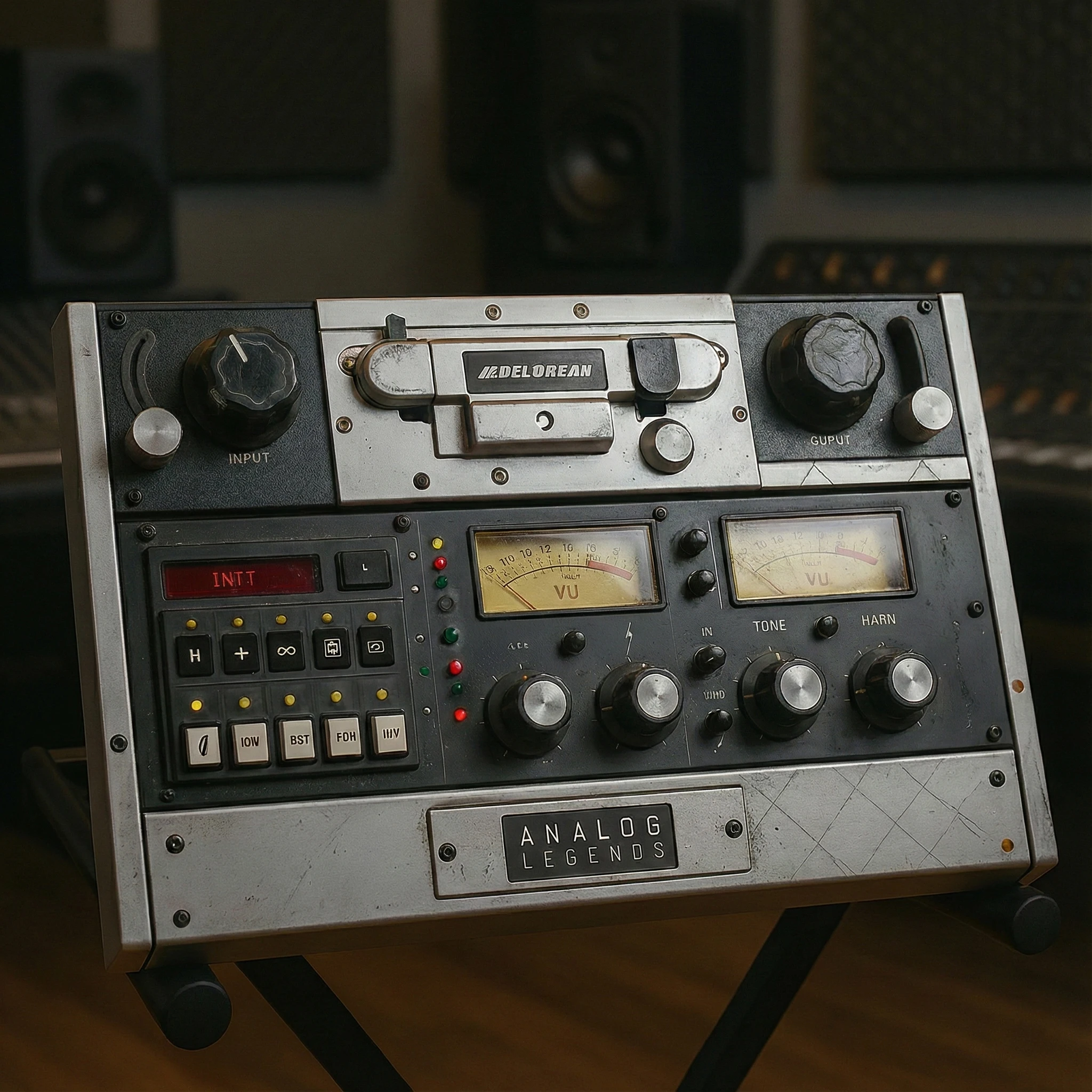
DeLorean – The Mastering Tone Machine
Step inside the audio time machine. DeLorean isn’t just a plugin — it’s a mastering-grade tone-shaping powerhouse that lets you mix, master, and manipulate your audio through time itself.
At its core lies a massive emulation library of 120+ vintage devices including reel-to-reel decks, cassettes, vinyl presses, shortwave radios, tube circuits, and amplifiers. But that’s just the beginning. Each model can be precisely blended and layered for infinite tonal variations, letting you sculpt your sound with character and warmth from any era.
Fueling its engine is a powerful analog harmonics system that lets you dial in just the right amount of odd and even harmonics, saturating your tracks with musical richness and presence. Add the built-in analog tape clipping and a mastering-grade output limiter, and your mix is instantly brought to release-ready levels — no extra plugins needed.
Need even more vibe? Add in your choice of six authentic noise types to give your music that nostalgic texture and analog soul. Then age your audio with the Time-Age knob, toggle Mono mode for instant referencing, or fine-tune the frequency spectrum with custom tilt EQ curves across lows, mids, and highs.
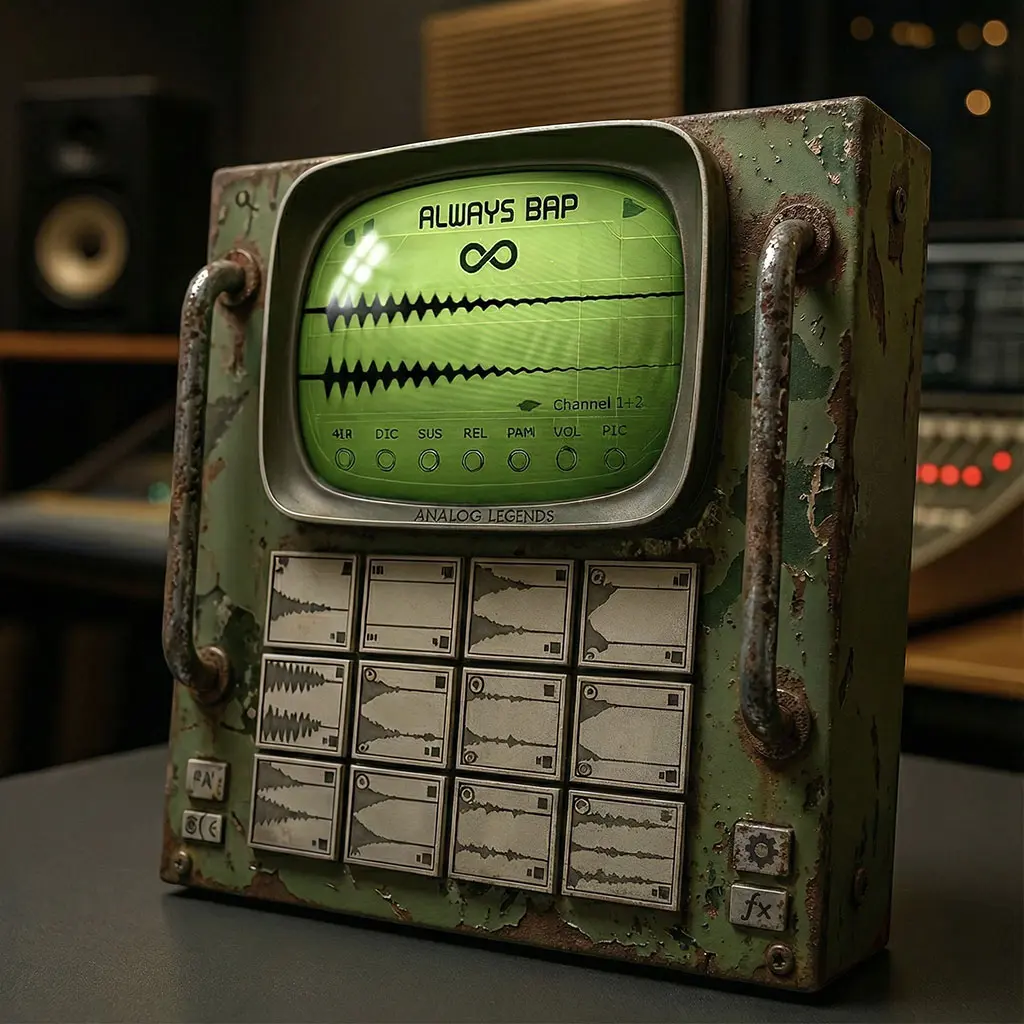
And for pure inspiration, hit the Infinity Button — a one-click journey to a completely randomized, era-inspired preset that transforms your mix into something beautifully unexpected.
Key Features:
-
300 factory presets for instant inspiration
-
120+ core emulations: reel-to-reels, vinyl, cassettes, radios, amps, tubes & more
-
Emulation blending for subtle or extreme character shaping
-
Analog harmonics system with odd/even harmonic control
-
Tape-style analog clipping circuit
-
Mastering-grade output limiter for final polish
-
6 noise types for authentic analog floor and grit
-
Time-age knob to simulate tape degradation and era-specific tone
-
Mono/stereo mode switch
-
“Infinity” button for randomized vintage transformations
-
Configurable low/mid/high tilt EQ processing
-
Native support for Mac ARM (M1-M5+)
-
Available in VST2, VST3, AU, and AAX formats
Changelog:
04/28/2025: v 1.0.3- Initial Public Release
01/19/2026: v 1.0.4- Windows. Fixed “Infinity Button” model tone randomization system. Adjusted initial HF tilt load state from 7.3db to 1.5db for more linear tone. MAC shortly.
01/20/2026: v 1.0.5- Fixed reduced initial GUI load size on windows. Zoom level (Zoom Button) is saved whenever its changed across future instances.
01/23/2026: v 1.0.6- Rebuilt all MAC versions to match windows 1.05 update as well as making each plugin format universal architecture enable native arm and intel support for all formats.
02/25/2026: v 1.0.7- Updated Windows Installer to fix “Newer Version Exists” Error
Analog saturation plugin: Common Questions
What can I shape with this analog saturation plugin?
DeLorean includes odd and even harmonic controls, tape clipping, noise types, age and tilt EQ. These controls let you explore both restrained coloration and more obvious vintage texture.
How do I keep saturation from overwhelming the track?
Start with a preset close to your goal and compare it against bypass at a similar loudness. Listen to the part inside the full arrangement, paying attention to low-end definition and high-frequency harshness.
Explore more audio effects plugins at FlashVST, or visit developer Analog Legends for more about its music software.
Choosing an Analog Saturation Plugin for Vintage Color
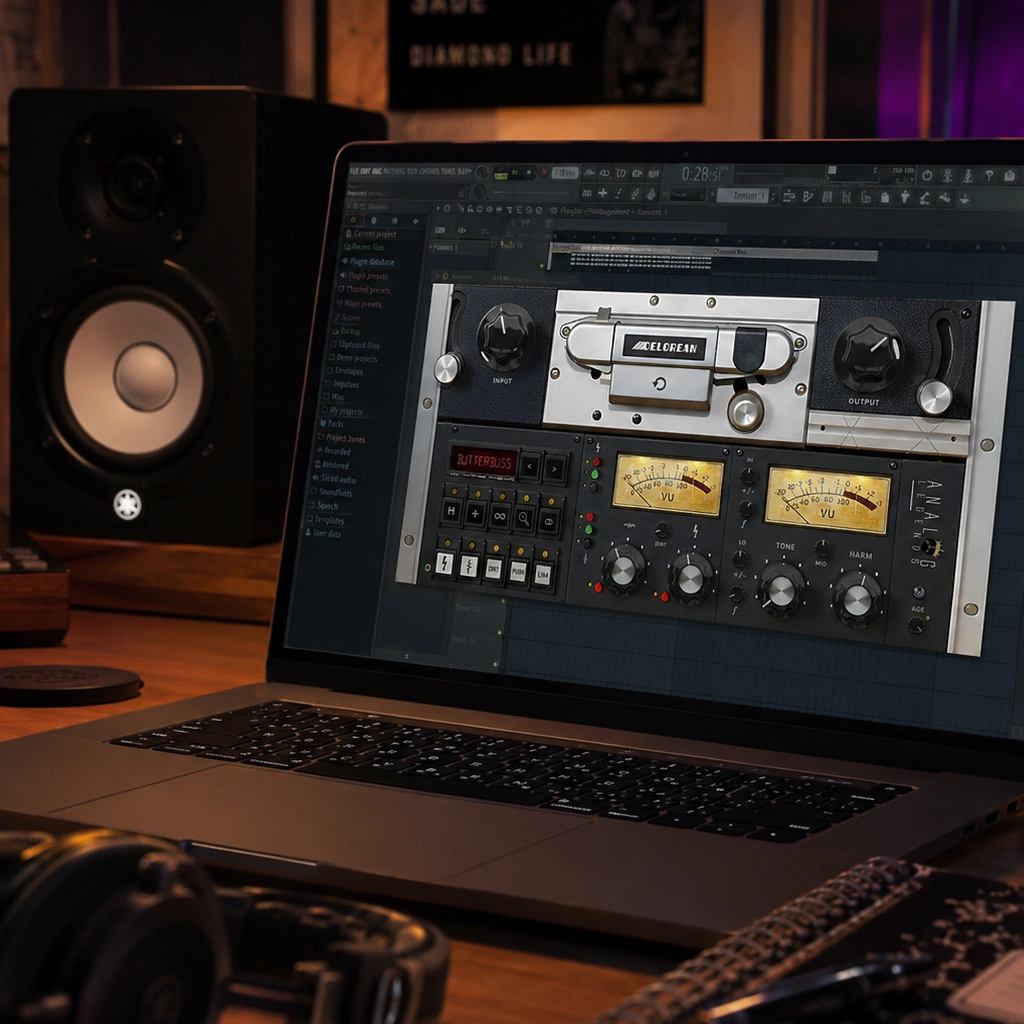
Saturation is a broad family of sounds, not a single effect. A small amount can change the density and texture of a part, while stronger processing can become an obvious creative element. When comparing an analog saturation plugin, begin with the sound you want to improve. A vocal that needs presence, a drum loop that needs weight and a synth that feels too pristine may each call for a different approach.
This analog saturation plugin combines more than 120 vintage emulations with harmonic controls, tape clipping, noise, age and tilt EQ. That range makes it a tool to explore when you want several kinds of character in one place. Its 300 presets can help you audition directions quickly, but the most useful result is the one that supports your arrangement. A dramatic preset may need refinement before it belongs in a finished mix.
Choosing an Analog Saturation Plugin Preset
Decide whether the processing should be subtle or noticeable. For subtle coloration, listen for changes in the body of the sound, the edges of transients and the way the part sits with nearby instruments. For a pronounced effect, decide which quality should become a feature: grit, softness, noise or a more aged texture. This gives your preset search a purpose and makes comparisons more meaningful.
Try the analog saturation plugin on a short section that includes the important parts of the arrangement. A processor can sound appealing in solo and become distracting once a vocal or lead instrument enters. Keep a clean comparison available, and listen at a similar level when deciding whether the treatment helps. If the change is difficult to judge, simplify the settings and add one element at a time.
Harmonic Controls in an Analog Saturation Plugin
This analog saturation plugin provides odd and even harmonic controls as well as tape clipping. Treat these as separate creative decisions. Start with the character controls that are most relevant to the source, then explore how the clipping changes the attack and density. Avoid changing every control at once: it becomes much harder to identify which adjustment improved the sound and which one introduced a problem.
On a drum loop, listen to the kick and snare as well as the quieter details between them. On a sustained synth, listen for changes in brightness and texture across longer notes. A setting that works for a short, percussive sound may be too strong on a held chord. Revisit the amount of processing when the part changes register or becomes louder in another section.
Using an Analog Saturation Plugin for Aged Textures
Noise and aged textures can be useful parts of a production, but they do not need to be present everywhere. Consider whether they should create atmosphere in a quiet introduction, add contrast to a breakdown or remain part of the entire sound. Listen to pauses and fades as carefully as the loud sections, because background texture is easier to notice when fewer musical elements are playing.
When using this analog saturation plugin for a vintage-inspired part, compare a version with the texture reduced. This can reveal whether the character comes from the core processing or mainly from the added noise. Either approach may be right for the song. The goal is to choose deliberately and leave enough space for the lead elements to remain clear.
Fitting an Analog Saturation Plugin into Your Mix
The tilt EQ gives you another way to adjust the overall balance after exploring the character of the effect. Make broad decisions first: does the part feel too bright, too dark or too heavy beside the other instruments? Then listen again after any tonal change. A saturation setting that seemed harsh may work differently after a small balance adjustment, and a darker setting may need less processing.
Use a reference section from your own track rather than relying on a single sustained note. For example, compare a verse and chorus if the instrument plays differently in each. Keep the analog saturation plugin working in service of the arrangement. If one setting cannot support both sections, consider whether your DAW workflow allows a controlled change rather than compromising the whole track.
Comparing Analog Saturation Plugin Settings
Save a working version of the session before a major experiment. Audition one family of sounds at a time, and keep brief notes about the results you prefer. When you return to the comparison later, those notes can help separate a useful improvement from the excitement of hearing something new. The preset library is a starting point, not a requirement to use a particular sound unchanged.
Check your preferred treatment at a lower listening level and on another playback system when possible. Listen for the musical balance, not only the extra character. Too much density can reduce the contrast that gave the original part its impact. A smaller adjustment can sometimes preserve the feeling of the performance while still giving it a distinct color.
Is This Analog Saturation Plugin Right for You?
This analog saturation plugin is most useful to evaluate against a concrete need. You might want a faster way to compare vintage colors, more control over harmonics, or a tool for pronounced aged effects. Compare those needs with the controls described above, and use the demonstrations to understand how the processor behaves across different sources.
Before purchasing, check the supported plugin formats and operating-system requirements against your setup. Consider how the tool would fit beside the effects you already use and whether its workflow makes the desired result easier to reach. Keep the product’s detailed specifications as the reference for included features; the production suggestions here are starting points for your own listening and experimentation.


Reviews
There are no reviews yet.