

Description
Konsoul Console Emulation Plugin: Six Console Characters
Konsoul is a console emulation plugin that brings six modeled console topologies into your DAW. Explore British Class-A, American, tube and solid-state character, then use group control to build a consistent workflow across your session.
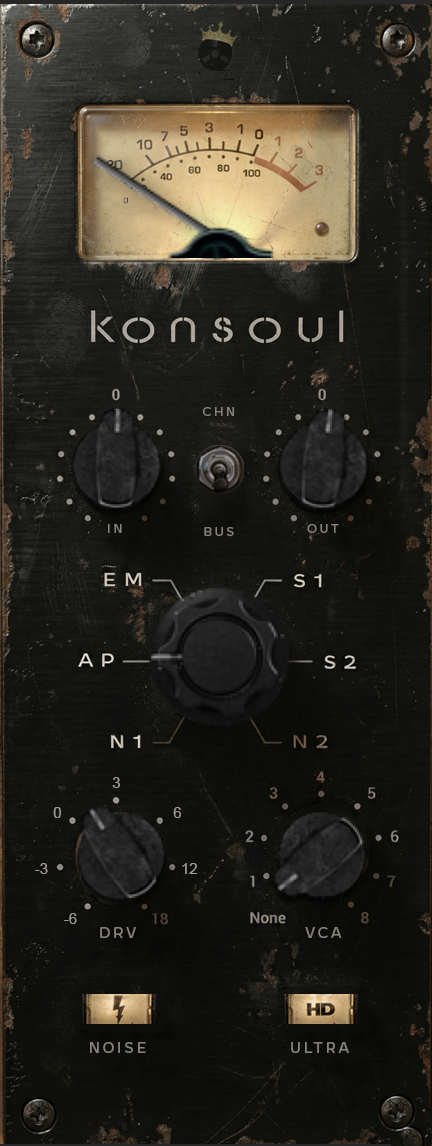
Rediscover the Art of Mixing
In the golden age of recording, the console was more than just a summing device—it was an instrument. Konsoul brings that legendary workflow and sonic character back to your DAW.
This is not subtle by any means. Konsoul is designed to model the wonderful 3d analog qualities that a collection of sought after analog consoles impart, giving your mix the depth, weight, and cohesive “glue” that turns a collection of tracks into a record.
6 Decades of Sonic History at Your Fingertips
Why settle for one flavor when you can have the entire history of recording in a single plugin? Konsoul places six distinct, meticulously modeled console topologies under your command. Whether you need the velvet warmth of the 70s or the crystalline punch of the 90s, the perfect color is just a click away.
- N1 & N2 (British Class-A): The undisputed kings of fat, warm low-end and creamy highs. Perfect for adding weight to drums and bass or smoothing out harsh vocals. Based on N*ve consoles.
- AP (American Discrete): Fast, aggressive, and mid-forward. This is the sound of rock and roll—punchy, articulate, and ready to cut through the densest mix. Based on Ap* consoles.
- EM (Honey Tube): The lush, euphonic glow of the tube channel strip that defined the 90s. Adds a three-dimensional halo to anything you pass through it. Based on Av*lon hardware.
- S1 & S2 (Modern Solid State): The tight, snappy, and glued-together sound of the consoles that dominated the 80s and 90s. The industry standard for pop, R&B, and modern rock. Based on S*L consoles.
True Analog Saturation, Zero Digital Harshness
Digital clipping is the enemy of a great mix. Konsoul’s advanced Dynamic Multi-Stage Saturation Engine allows you to push your tracks into the red with confidence. We’ve modeled the complex non-linearities of input transformers and discrete op-amps, giving you rich 2nd and 3rd order harmonics that make your tracks sound louder, bigger, and more exciting—without falling apart.
- Drive: Go from subtle harmonic enhancement to glorious analog breakup.
- MicroDynamics: Our proprietary “glue” processor subtly enhances transients, breathing life and movement into your mix that standard compressors simply can’t replicate.
A Workflow Revolution: The Group System
Mixing in the box often feels disjointed, with hundreds of plugins open at once. Konsoul changes the game with its innovative Peer-to-Peer Group Sync.
Imagine assigning all your drum tracks to Group 1, guitars to Group 2, and vocals to Group 3. Now, when you push the Drive or switch the Console Model on one channel, every channel in that group follows instantly. It’s the closest you can get to the tactile, unified workflow of mixing on a large-format console, saving you hours of tedious mouse clicks.
Premium Features for the Modern Pro
- Hyper-Realistic Interface: A stunning, 3D-rendered GUI with filmstrip-animated controls that invite you to reach out and touch them.
- Infinite Headroom: Built on a 64-bit floating-point architecture, Konsoul offers virtually infinite internal headroom. Drive it hard, saturate the input, and simply trim the output—cleanly and transparently.
- Authentic Atmosphere: Engage the optional Noise circuit for a meticulously modeled analog noise floor (with infinite tail generation) that adds that final layer of subconscious realism.
- Zero Latency: Track through it, mix with it, master with it. Konsoul keeps up with your creativity in real-time.
The Missing Link
You have the songs. You have the performances. Now give them the sound they deserve. Konsoul isn’t just an emulation; it’s the heart and soul of your new digital studio.
Experience the difference. Get Konsoul today.
Changelog:
12/04/2025: v 1.0.1- Initial Public Release
12/08/2025: v 1.0.5- Fixed bug blocking certain UI elements from displaying on some systems
12/26/2025: v 1.0.6- Updated MAC distribution to Universal Architecture for native arm and x86_x64 support
01/16/2026: v 1.0.7- Fixed issue with plugin instance cross talk/meta parameters causing failure in some AU validations in logic
01/17/2026: v 1.0.8- Added additional intel mac compatibility back to 10.13
10/07/2026: v 1.5.1- Massive update. Completely overhauled engine utilizing DTS. Drastically improved sound and CPU usage.
10/09/2026: v 1.5.2- LF artifacts bugfix
Console emulation plugin: Common Questions
What does a console emulation plugin add to a mix?
Console-style processing adds tonal and harmonic character to audio. Konsoul offers six different topologies, so you can choose the response that suits a track or use a consistent model across a group of channels.
Should every track use the same console model?
That is a creative choice. Start with one model for consistency, then compare alternatives on sources that need a different character. Keep output levels comparable when judging whether the change helps the mix.
Explore more audio effects plugins at FlashVST, or visit developer Analog Legends for more about its music software.
Choosing a Console Emulation Plugin for Your Session
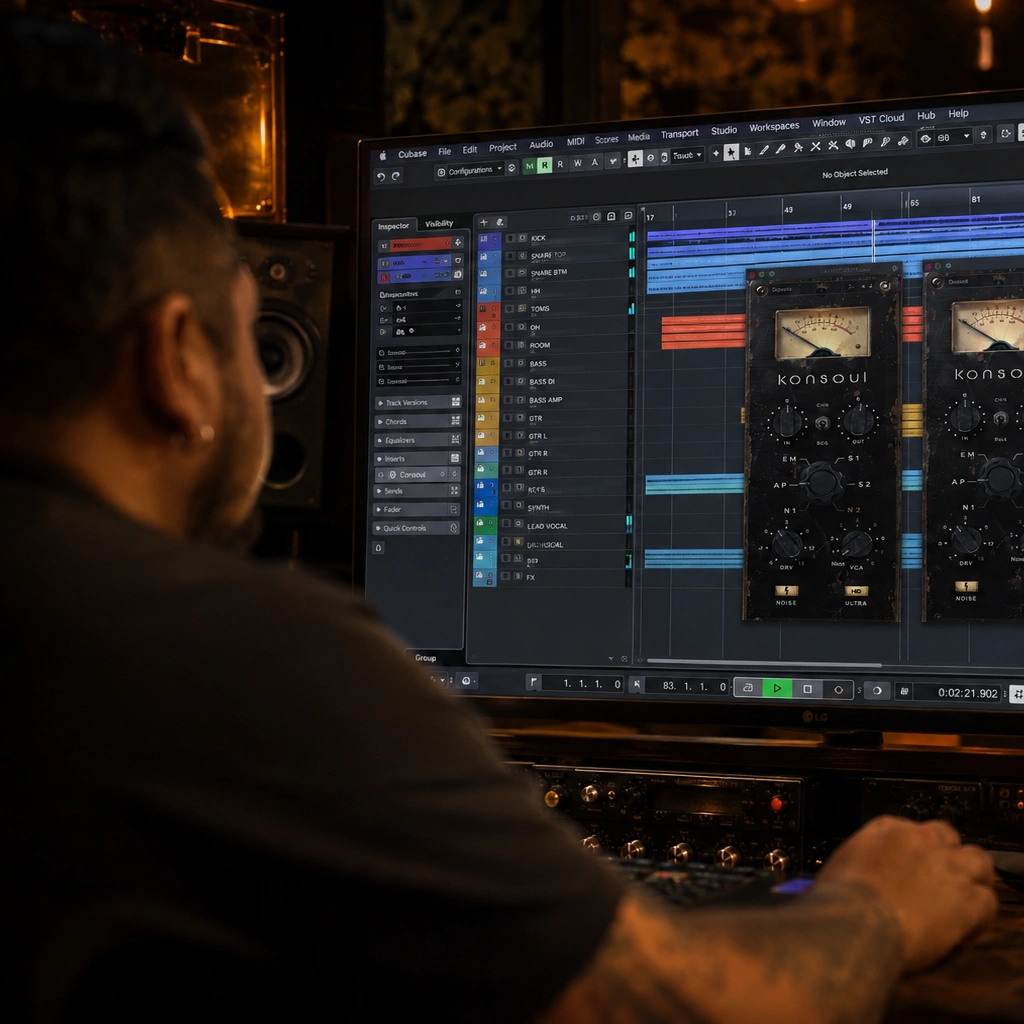
A console-inspired workflow is as much about consistency as it is about individual sounds. Instead of choosing an unrelated color effect on every track, you can use a shared family of processing to guide the session. This console emulation plugin offers six modeled console topologies and linked group control, giving you a way to compare different kinds of character while keeping the workflow organized.
Before adding a console emulation plugin throughout a project, test it on a representative group of tracks. A drum bus, a vocal group or several related instruments can reveal how the processing behaves with different material. Start with a restrained approach so you can hear the cumulative effect before committing to stronger settings across the entire arrangement.
Comparing Console Emulation Plugin Models
This console emulation plugin includes N1 and N2 British Class-A, AP American, EM tube, and S1 and S2 solid-state topologies. These names describe different directions to explore, not a requirement to assign a particular model to a particular instrument. Listen to the source, compare a few models and choose the one that supports the track’s role.
Use the same passage and comparable output levels when evaluating a console emulation plugin. Listen to low-frequency weight, the definition of attacks and the character of sustained notes. A model that makes a solo instrument seem larger may occupy too much space in a dense mix. The arrangement is the final reference.
Gain Staging with a Console Emulation Plugin
Level changes can alter both the sound of analog-style processing and your judgment of it. Keep track of the signal entering and leaving each stage. If a treatment seems better simply because it is louder, reduce the comparison level and listen again. This habit is useful whether you use one instance or several across a session.
A console emulation plugin works within the larger chain of instruments, EQ, compression and other effects. Revisit the result when you change the processors around it. A setting chosen before a major level or tonal change may need adjustment afterward. Save a reference version of the session so you can evaluate the overall direction.
Grouping Tracks with a Console Emulation Plugin
Linked group control in this console emulation plugin can make related changes easier to manage, but decide which tracks should move together before linking them. A group of backing vocals may have a common role, while a lead vocal and a transient-heavy percussion part may need different treatment. Organize groups around your musical intention rather than merely around the order of tracks in the session.
After a shared adjustment, audition individual members of the group and then the complete arrangement. This helps you notice if one source reacts differently from the others. Consistency is useful when it supports the mix; it should not prevent a particular track from receiving the attention it needs.
Checking Console Emulation Plugin Processing Across a Mix
Subtle processing on multiple tracks can produce a more noticeable result once those tracks are combined. Compare the entire mix at regular intervals instead of making every decision in solo. Listen to depth, separation and rhythmic impact, and keep the original balance in mind. If the result becomes crowded, reduce the processing or reconsider which tracks need it.
Try the console emulation plugin on one bus as an alternative to placing it everywhere. That comparison can help you choose a simpler workflow for a particular project. Neither approach is automatically better; the useful choice is the one that gives you the desired character with controls you can manage confidently.
Is This Console Emulation Plugin Right for Your Workflow?
Evaluate Konsoul against a practical need: comparing console colors, applying a consistent character to a group, or making related adjustments more efficient. The six topologies offer variety, while the group workflow can support a more deliberate session structure. Use the demonstrations to understand the direction of the sound, then compare the features with the way you work.
Check the listed plugin formats and operating-system requirements before purchasing. Keep the product specifications as the reference for supported features. The workflow suggestions here are starting points for listening and organization, and the most useful settings will depend on your sources and arrangement.





Reviews
There are no reviews yet.