Description
KitBoy AI Drum Sampler Plugin for Fast Beat Building
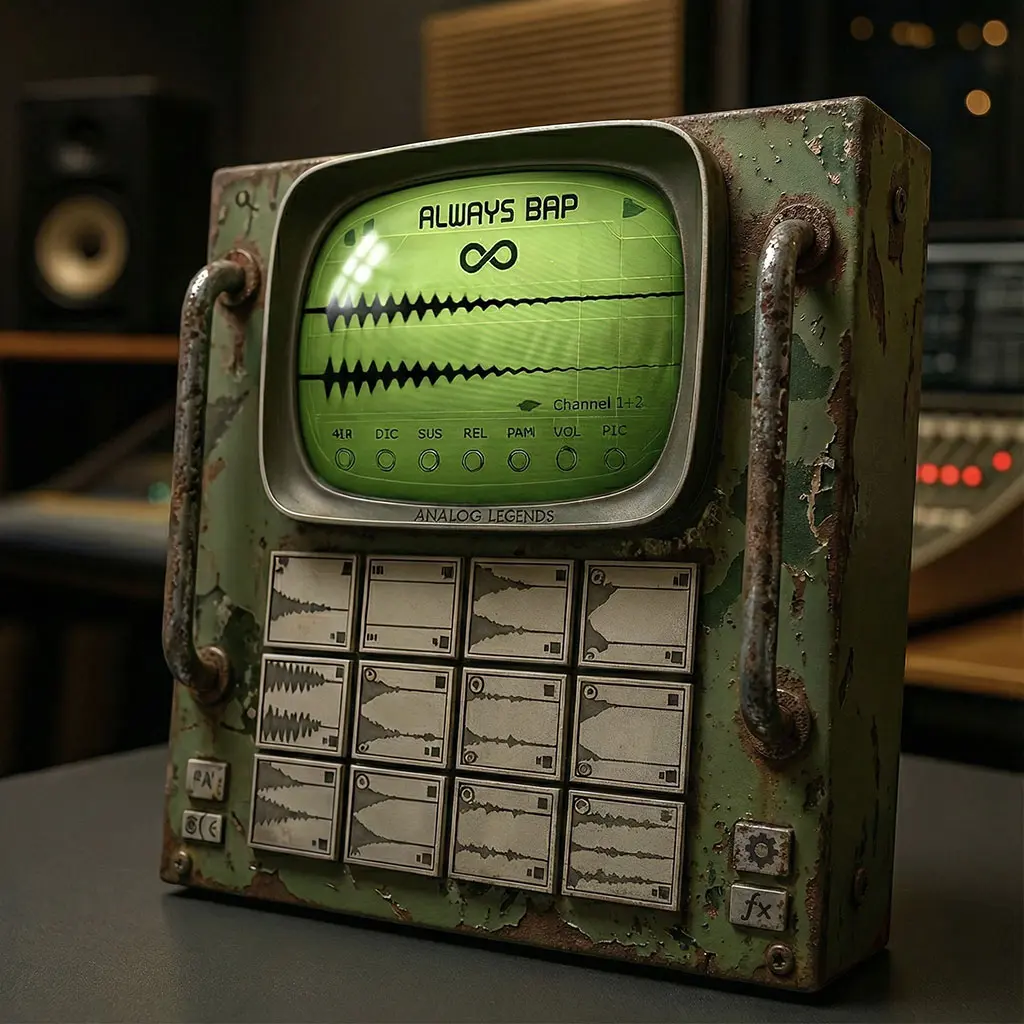
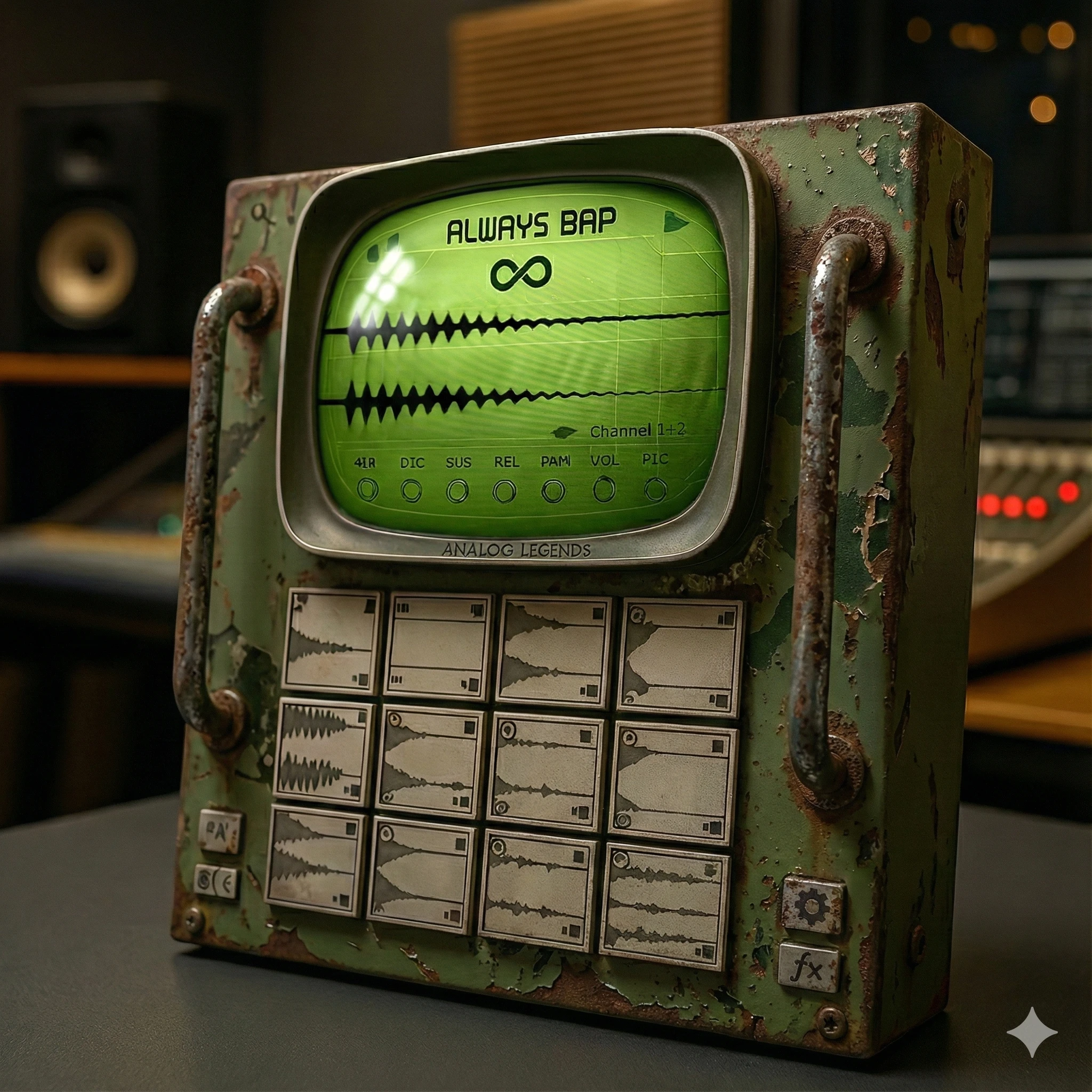
KitBoy AI is a drum sampler plugin with 750 drum kits and an Infinity kit-generation system. Combine one-shot sampling, per-pad control and analog-style buss processing to build a kit around your track.
🚀 Revolutionize Your Drum Production Workflow
KitBoy AI isn’t just another sampler — it’s a full-scale drum production weapon built from the ground up for serious hip-hop and trap producers.
With a massive 750-kit factory library and an industry-first AI Infinite Kit Generation Engine, you’ll never run out of inspiration again.
Forget wasting hours scrolling through endless folders looking for the perfect snare. Forget stale loops and recycled sounds. KitBoy AI generates hard-hitting, fully-usable kits in seconds, custom-built for your style and sound.
One Click = Infinite Kits.
Every click of the Infinity Button gives you a fresh, genre-optimized kit — ready to drop into your session.
🔥 Built by Producers with Real Credits — Trusted by the Elite
Behind KitBoy AI is a team of award-winning, silver & gold-certified hip-hop producers whose work spans decades of underground and commercial excellence.
Our sounds have been used by legends, heard on global platforms, and featured in chart-topping albums, major TV networks, and world-class games.
This is the same DNA that powers KitBoy AI.
🎹 The Largest, Highest-Quality Factory Kit Library Ever Assembled
At the heart of KitBoy AI is a 750-kit library handcrafted over years. Each sound has been processed through high-end analog gear, meticulously curated and mixed for genre-perfect tone.
You’re not just getting quantity — you’re getting world-class sound design, processed through real hardware, and professionally mixed by producers who’ve worked with:
Sean Price, Canibus, Vinnie Paz, Chino XL, R.A. The Rugged Man, Ill Bill, K-Rino, Ruste Juxx, Termanology, Jeru Da Damaja, Black Rob, Raekwon, Masta Killa, Ghostface Killah, Diabolic, Talib Kweli, Wu-Tang Clan, Celph Titled, Heltah Skeltah, Keith Murray, Block McCloud, Afu-Ra, Planetary, Chief Kamachi, King Magnetic, Vendetta Kingz, AOTP, Corey Charron, Epic Rap Battles, Froggy Fresh, Louis Logic, Slaine, Rittz, Apathy, AZ, Capone, Action Bronson, Masta Ace and more…
🧠 AI Infinite Kit Generation
Say goodbye to creative blocks. With KitBoy AI’s cutting-edge artificial intelligence engine, you can generate an unlimited number of unique, high-quality drum kits with one click.
🎯 It’s like having a full team of drum designers on standby 24/7.
🎛️ Deep Customization and Professional Controls
Not only can you generate kits instantly — you can refine every detail:
-
Analog Output Buss Emulation
Add vintage warmth, color, and depth with realistic analog-style processing. -
Custom Variable Hardware Sampler Emulation
Switch between classic sampler models and harmonics to tailor your tone. -
Vintage Tone Module
Give your drums that dusty, soulful, time-warped edge — perfect for boom bap and lofi. -
Floating-Point Internal Analog Submixer
Full dynamic range and superior headroom with smooth, analog-style summing. -
Sample-Specific Controls
Tweak every kick, snare, or hi-hat with per-pad control over pitch, volume, pan, and tone. -
Full Choke Group Functionality
Easily manage open/closed hats and more for advanced groove control.
📂 Modern Workflow, Classic Feel
KitBoy AI is built for today’s producers but respects the past:
-
WAV, MP3, FLAC File Support
Drag and drop or double-click to load your own samples into any pad. -
Extensive Pad Routing
Route each pad to individual outputs for advanced mixing in your DAW. -
Kit-Wide Pitch Shifting
Instantly pitch entire kits up or down to match your track’s key or vibe. -
Expandable Library
Access growing expansion packs tailored to specific genres, vibes, or legendary kits.
💻 Compatible with Everything
-
Native Support for Apple Silicon (M1, M2, M3)
-
Formats: VST2, VST3, AU, AAX
-
Works in any major DAW
📋 System Requirements
PC: Windows XP or higher, 1024×768 screen resolution, 2GB disk space
Mac: OSX 10.3 or higher, 1024×768 screen resolution, 2GB disk space
⚡ Summary of Features
✅ 750 Premium Hip-Hop & Trap Kits
✅ AI-Powered Infinite Kit Generation
✅ Analog Buss Emulation & Vintage Tone Modules
✅ Classic Sampler Modes
✅ Internal Floating-Point Analog Submixer
✅ Flexible Sample Import (WAV, MP3, FLAC)
✅ Individual Output Routing for Each Pad
✅ Kit-Wide Pitch Controls
✅ Expandable with Optional Add-On Packs
✅ Native M1/M2/M3 + VST2, VST3, AU, AAX Support
✅ Legendary Production Lineage
✅ Limited Licenses Available
Changelog:
01/30/2025: v 1.5.0- BUGFIX for “AI Kit randomization” resulting in blank pads on certain systems. This had been addressed.
Drum sampler plugin: Common Questions
What is included in this drum sampler plugin?
KitBoy AI includes 750 kits, one-shot sampling and controls for individual pads. Its Infinity system provides another way to explore kit combinations when you want a new starting point for a beat.
Can I load my own samples?
KitBoy AI supports importing WAV, MP3 and FLAC files into its pads. Use drag and drop or double-click to load sounds, then adjust individual pads to fit your beat.
Explore more virtual instruments at FlashVST, or visit developer Analog Legends for more about its music software.
Choosing a Drum Sampler Plugin for Your Beats
A good drum workflow helps you move from an idea to a pattern without losing the feeling of the groove. Before comparing instruments, think about how you build beats. You may prefer to start with a complete kit, replace individual sounds, play pads or develop a pattern around a single sample. This drum sampler plugin combines a large kit library with one-shot sampling and controls for individual pads, so consider which parts of that workflow matter most to you.
Choosing a Kit in Your Drum Sampler Plugin
Use a simple pattern when auditioning the 750 included kits. Keep the rhythm consistent so the differences you hear come mainly from the sounds. Listen to the kick, snare and supporting percussion together. A kit that sounds impressive in isolation may be too busy or too heavy once the bass and main musical parts are playing.
After choosing a useful starting point in the drum sampler plugin, refine the sounds that need attention rather than replacing the whole kit immediately. A single snare or hi-hat can change the impression of a beat. Keep the elements that already support the track and make deliberate adjustments to the ones that do not.
Using Drum Sampler Plugin Pad Controls
Think about which hits should lead the rhythm and which should support it. If every pad competes for attention, the groove can become harder to follow. Use the available per-pad controls to establish a hierarchy, then listen to the complete pattern at a lower level. The important accents should remain clear without every sound needing to be prominent.
A drum sampler plugin is also a useful place to experiment with sparse variations. Remove an element for a few beats, change a supporting sound or simplify a fill. These arrangement choices can make a loop feel more expressive without adding more processing. Save a simple reference version so you can judge whether each variation improves the groove.
Generating New Ideas in Your Drum Sampler Plugin
The Infinity system provides another way to generate kit ideas. Before trying a new result, decide what the current beat is missing: a different character, a stronger accent or a less familiar combination of sounds. Audition the result against the same musical passage so your choice stays connected to the track.
Keep useful combinations and refine them. Repeated generation can be inspiring, but the best idea still needs a performance and arrangement around it. Treat the drum sampler plugin as a source of starting points as well as finished sounds. A promising kit becomes more personal when you shape its balance and write a rhythm that uses its strengths.
Adding Drum Sampler Plugin Buss Character
This drum sampler plugin includes analog-style buss processing and vintage tone as part of its sound. Compare a restrained treatment with a stronger one after the pattern is established. Listen for changes in punch, density and the relationship between loud hits and quieter details. Keep the comparison level similar so extra loudness does not make the decision for you.
Check the drums with the bass line and other important parts. If the processing makes the beat feel larger but reduces space for the rest of the arrangement, revisit the balance. A drum sampler plugin can provide character at the source, but the final choice should support the whole production.
Planning Your Drum Sampler Plugin Import and Routing Workflow
KitBoy AI imports WAV, MP3 and FLAC samples and allows individual pads to be routed to separate outputs in your DAW. Consider whether you prefer to mix the kit inside the instrument or process its parts on separate tracks. Check the routing workflow in your host before building a larger session.
Use the demonstrations to assess the instrument’s sound and pace of operation. Compare the system requirements with your computer and DAW, and think about the role this drum sampler plugin would fill alongside your existing tools. The practical suggestions here are general starting points for beat-making; the feature list above describes the capabilities included with KitBoy AI.


Reviews
There are no reviews yet.